Skip to content

Coach the session. Get every word back.

Record practice on your phone. Coach Sidekick sorts what you said by player, you check it in a few minutes, each player gets their notes, and you get a Debrief on your own coaching.

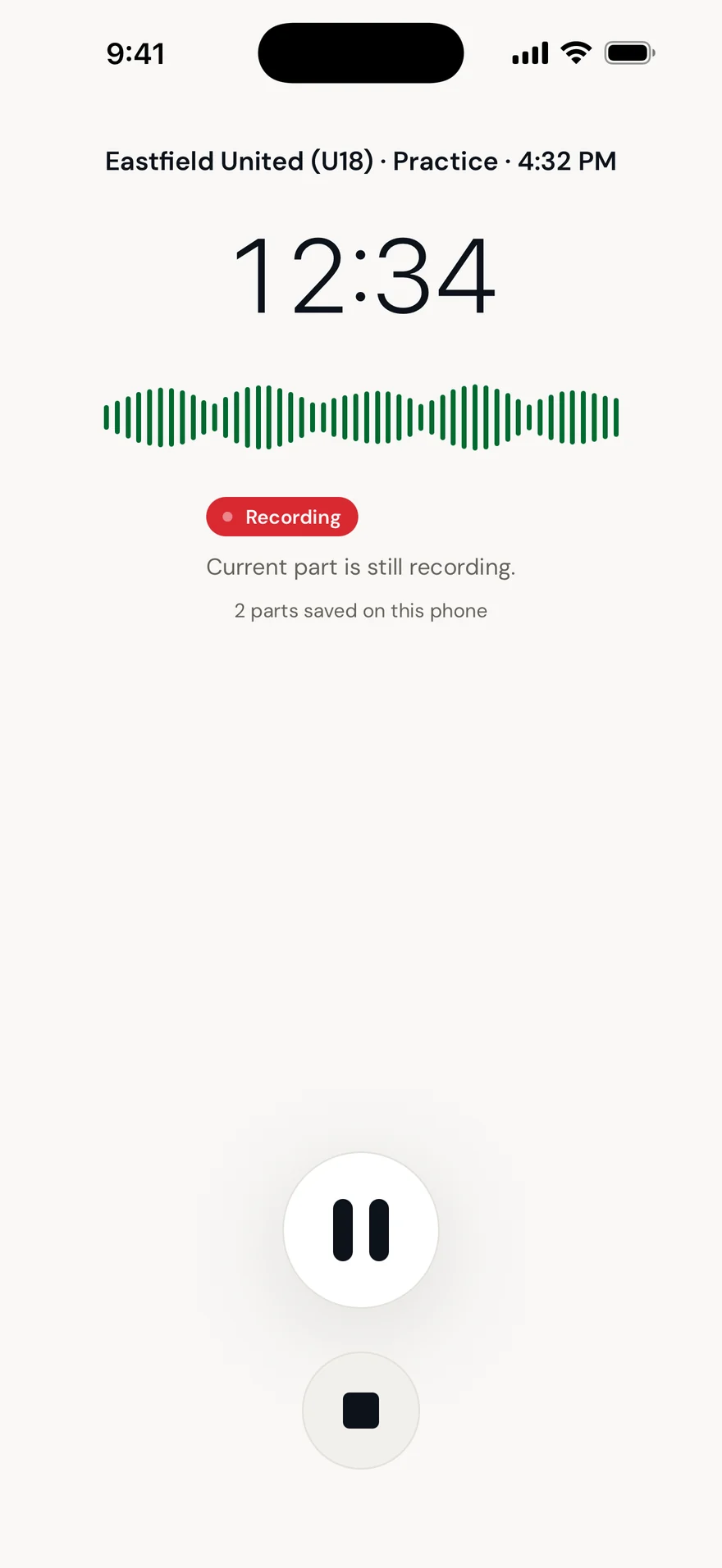
  1. 1Recording. Lock the phone and put it in your pocket; it keeps going.
  2. 2Stop, and it uploads. A patchy field connection just picks up where it left off.
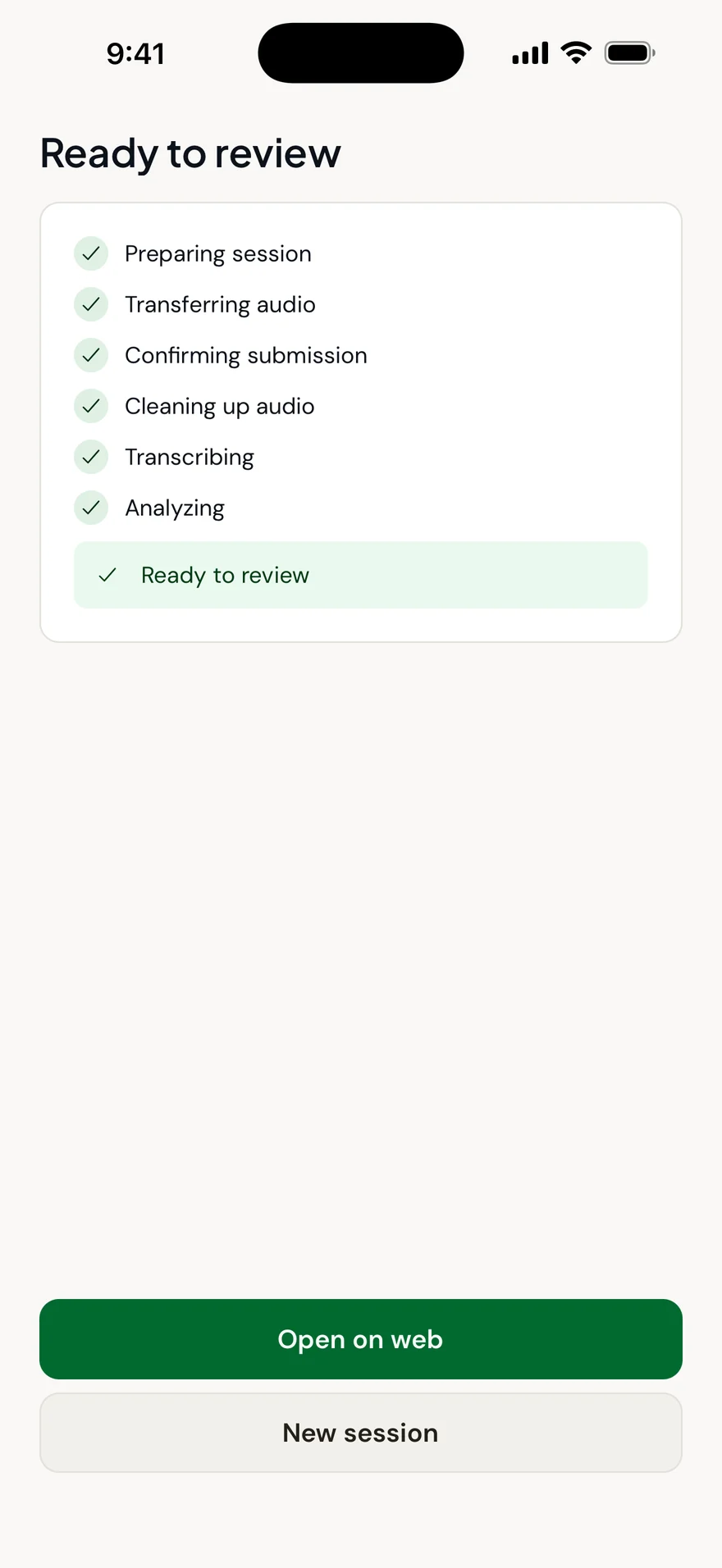
  3. 3Ready to review, usually within 15 minutes.
  4. 4Every note waits for your OK before a player or parent sees it.
  5. 5Then your own Debrief: who you reached, and how you coached.
The Coach Sidekick iPhone app recording a practice.The Coach Sidekick iPhone app showing a session ready to review.

Real screens from the Coach Sidekick iPhone app.

Plan it your way.

Write the plan the way you'd say it, or start from the curriculum library. Coach Sidekick reads it: the skills, how you want to coach, the players you want to reach. Things it can't measure, it notes and doesn't score.

The plan

Written by the coach, Monday night

Switch play early and often. Get them scanning before the ball arrives. I want to ask more than I tell, and make sure Jonah gets involved. Win Saturday.

Switch play early and often. Get them scanning before the ball arrives. I want to ask more than I tell, and make sure Jonah gets involved. Win Saturday.

What Coach Sidekick understood

  • SkillSwitching the Point of Attack
  • SkillPre-Receive Scanning
  • Your coachingQuestioning
  • PlayerAttention: Jonah
  • OutcomeAn outcomenoted, not scored

Or start from the library.

Ready-made curricula: two season blocks and two topic packs, for U13, U14, U15 and U16. Pick a session, add your own note, and it becomes the plan your Debrief checks against.

  • Own Your DuelU13–U14Season block
  • Playing Through PressureU13–U14Season block
  • Dead BallU13–U14Topic pack
  • Nothing EasyU15–U16Topic pack

Season blocks in dark green, topic packs in pitch green. Every session in them is tied to the skills it trains.

You check it before anyone sees it.

After the session, every note is sorted by the player it was said to. You read it through, and only what you approve reaches players and their families.
  • Approve

    Release a note as it is. Nothing goes out before you do.

  • Edit

    Fix the wording. The player gets your version.

  • Reassign

    Credited to the wrong player? Move it in one step.

  • Remove

    Anything you'd rather not send never leaves the session.

And then, feedback for you.

Every session ends with a Debrief built from the session itself: who you reached, how you coached, and how it lined up with your plan. Every mark opens the comment behind it.

131 pieces of feedback in 51 minutes

Nothing directly
The comment behind this markElla, EncouragementRecording 12:36
“Stay with it, Ella.”

Select any mark to read what was said. Example sessions with a demo team.

Tuesday's Debrief

Who you reached

11 of 12 players

1 player heard nothing from you directly: Jonah.

How you coached

  • Instruction41%
  • Correction16%
  • Questioning9%
  • Praise24%
  • Encouragement10%

Share of coaching acts. The faint line is the other session.

Against your plan

3 of 4 planned skills, behaviours and players showed up

  • Switching the Point of Attack. In about 31% of tagged moments (21 of 66).
  • Pre-Receive Scanning. In about 58% of tagged moments (38 of 66).
  • Questioning. About 9% of your coaching acts were questions.
  • Jonah. No direct notes. Jonah heard nothing from you directly.
  • Win Saturday. One planned item we can't measure yet. Noted, not scored.

Reflection

You named 11 of 12 players, and Jonah heard nothing from you directly. Most of what you said was instruction. Your plan asked for more questions, and about 9% of your coaching acts were questions.

Written from the session itself. Every number is checked against what was said.

Trained in a particular way of coaching? The Debrief's methodology view reads your session through the framework you choose.

  • US Soccer Grassroots
  • US Soccer C-License
  • The FA Four Corner Model
  • Teaching Games for Understanding
  • Constraints-led

Mapped to these frameworks, not endorsed by their authors.

The drill comes from what you said.

Each note is matched to a drill from the library using the skill it's about and the words you used, so the player practises the thing you actually told them. You can change the pick before it goes out.
What you said, Tuesday 23:41
“Christopher, use your body. Shield it, then turn away from the pressure.”

Skill: Shielding & Holding the Ball

Christopher's drill for the week

Shielding Under Pressure: Hold & Release

15 minutes, a partner, a 5 by 5 metre box

Why it was picked

It trains the skill you named, and its own coaching cues include “Use your body!” and “Shield it.”

What to focus on

  • Bend your knees and get low.
  • Keep the ball on the foot furthest from the defender.
  • Forearm out to feel the defender. A sensor, not a weapon.

Draw the play. Watch it run.

The tactics board animates your plays step by step and exports them to share with the team. It's the same engine that draws the drills in the library.

A 7v5 switching drill from the tactics board, with an example coach's cues.

Questions coaches ask.

Do I need special equipment?
No. Your phone works. The iPhone app keeps recording with the screen locked; a clip-on microphone helps on windy days but isn't required. You can also upload audio from any device.
What if it credits a note to the wrong player?
You review every session before anything is released. Reassign it, edit it or remove it. Nothing reaches a player or a family until you approve it.
Can my director see my Debrief?
Only if your club has the Director Suite, and then your club decides whether Debriefs are visible to directors, and you're told which way it's set. Feedback you removed before approval is never shown.
How long until a session is ready?
Most sessions are ready for review in under 15 minutes. Long sessions or heavy wind can take longer; the app shows the progress live.
Do I have to write a plan?
No. Without one, the Debrief still shows who you reached and how you coached. With one, it also checks the session against what you set out to do.
Can I keep a conversation off the record?
Yes: pause or don't record it. Only sessions you record are processed, and you can remove anything before approving.

Record one practice and see what comes back.

We'll set up your team, you record a normal session, and we'll walk you through your players' notes and your own Debrief.